Using Visual Features Effectively
- Published
An introduction to the pop-out effect and its application to data visualization.
The pop-out effect, or tunable processing
The pop-out effect is the effect by which certain information on a display appears to “jump out” at a glance. For example, if a few dots among pale gray dots on a white background are dark red, the red dots stand out immediately.
Here are examples of visual features that produce a pop-out effect:
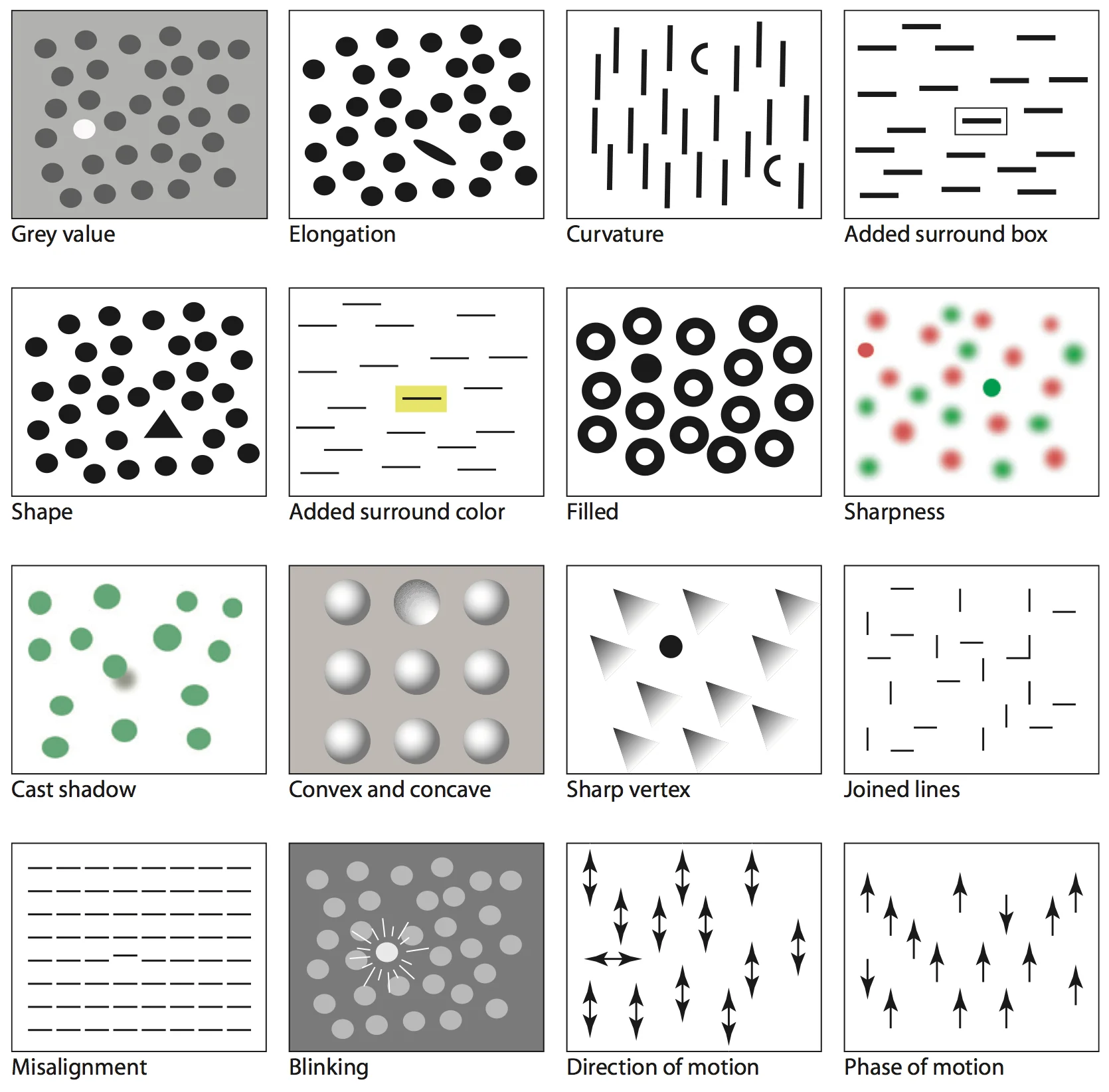
(Source: Visual thinking for design by Colin Ware)
Visual feature space
One concept related to visual features that I find especially useful in data visualization is feature space. Imagine a multidimensional space with each visual feature—orientation, size, color, shadow, focus, movement, and so on—as one dimension. Any visual representation can then be regarded as a point in this space. We can now frame the question of how much a representation should stand out among others as a question of how far away it should be from them in feature space.
The following diagram shows a feature space with color (red–green) and size (small–large) as its axes:
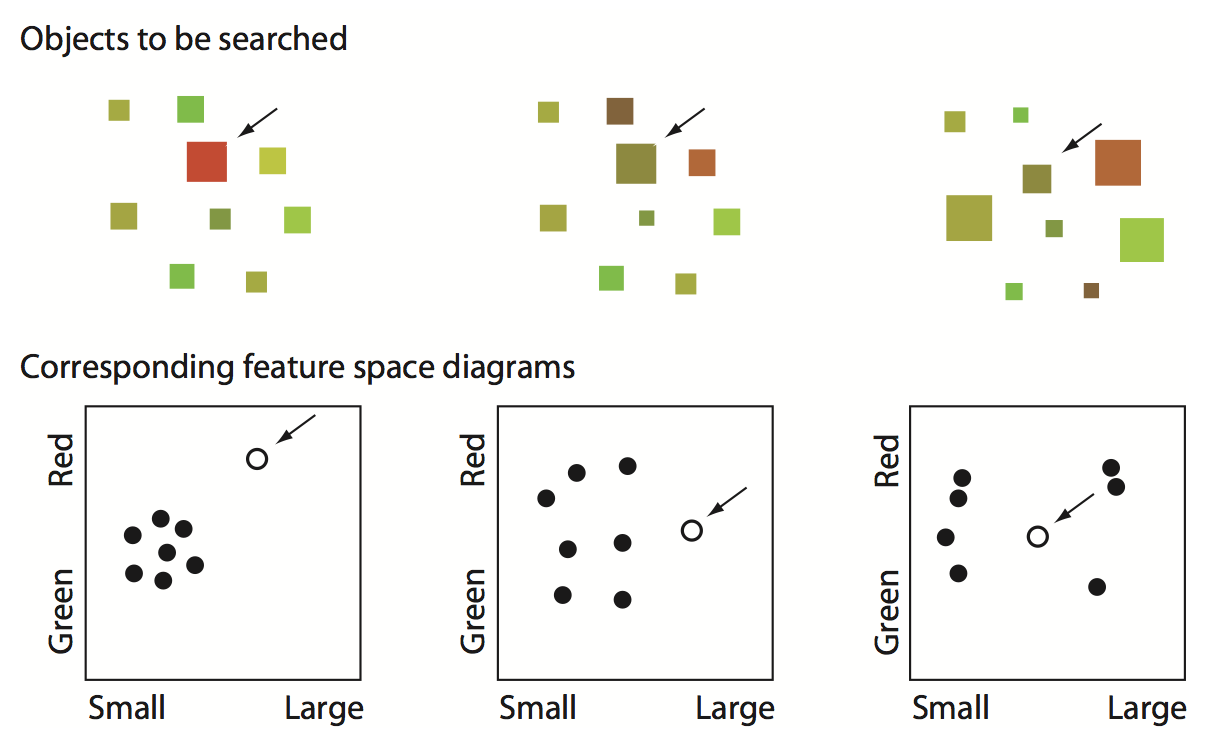
(Source: Visual thinking for design by Colin Ware)
Using this concept well could help us make various design decisions more systematic and quantitative.
For example, Edward Tufte presents the concept of the smallest effective difference in Visual explanations. The idea is to visualize using only the minimum difference needed to be noticeable. If a difference in line thickness effectively distinguishes the lines representing data from the background grid, there is no need to introduce additional differences, such as giving the data lines a color. This reduces eye strain, looks cleaner, and saves important design resources we might need later.
Combining this idea with feature space could help us decide more systematically which visual resources we have, which to use, and how much each element should stand out.